
Our market desk, plus selected headlines from outside publishers.
Charts, orders and alerts on your phone or desktop. Your Investo account works on both.
Sign in to My account with your email — no password — to see the status of your MT5 application, deposits and withdrawals, and your receipts.
Everything you submitted, with its current status, in one place.
It takes one tap inside your account. Sign in with your email and press send me a new one — the new password goes to the email on file, usually within minutes.
Practise with practice money before you trade real money. Everything happens inside MetaTrader 5.
Download MetaTrader 5 from the App Store, or Google Play on Android. The publisher is MetaQuotes. If you have an Investo account, the link is also under My MT5 access.
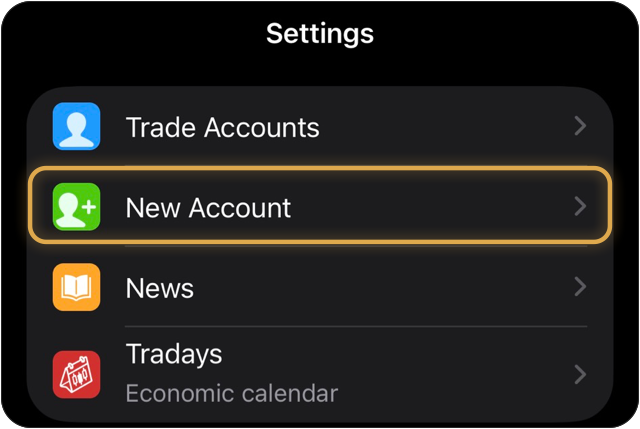
Open MetaTrader 5, tap Settings, then New Account.
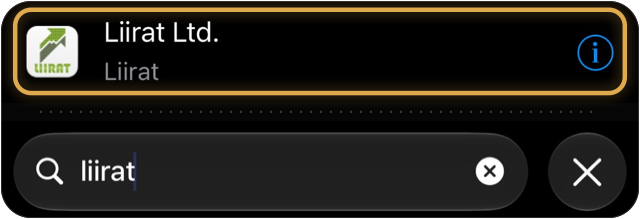
Type Liirat in the search box and tap Liirat Ltd., the company of our MetaTrader 5 server.
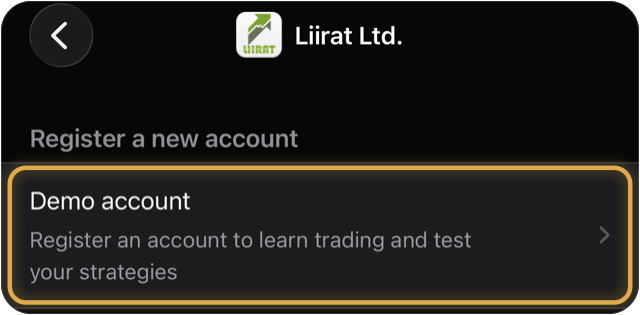
Under Register a new account, tap Demo account.
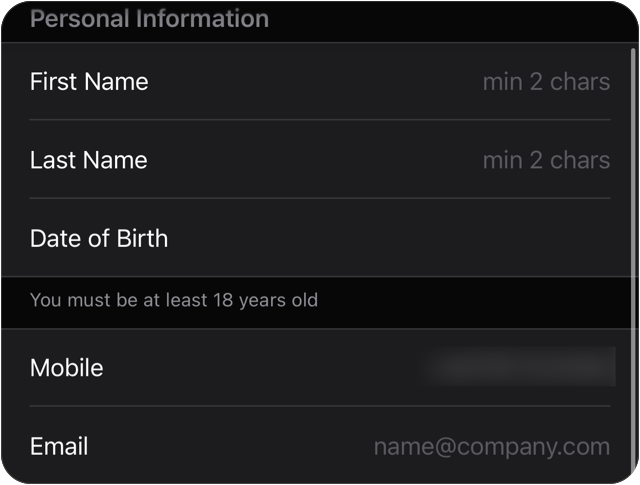
Type your first name, last name, date of birth, mobile number and e-mail. You must be at least 18.
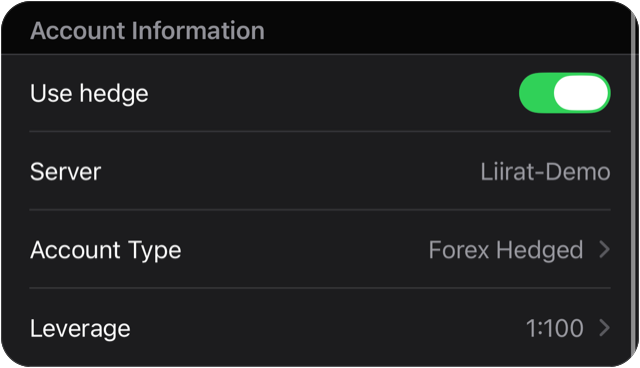
Leave Use hedge, Server (Liirat-Demo), Account Type and Leverage as they are. On gold, oil, the Dow Jones, the Nasdaq, silver and crypto, margin is a fixed amount per lot whatever the leverage. Check it yourself on the demo: open 1 lot of gold, and the Trade tab shows $1,000 of margin.
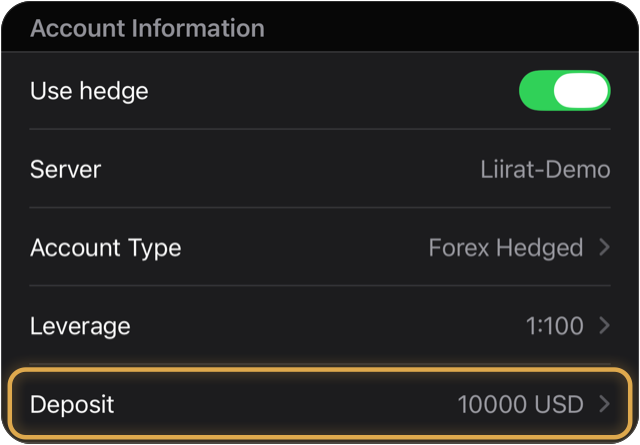
Tap Deposit and choose 10000 USD, or the amount closest to what you would really start with, so your practice feels real. It is practice money.
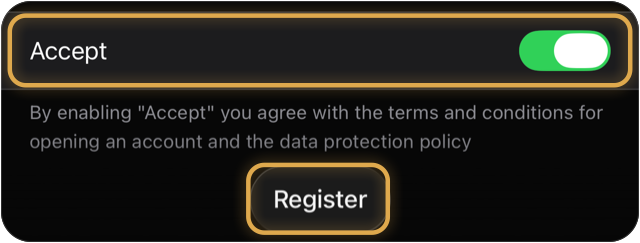
Switch on Accept to agree to the terms for opening the demo account, then tap Register.
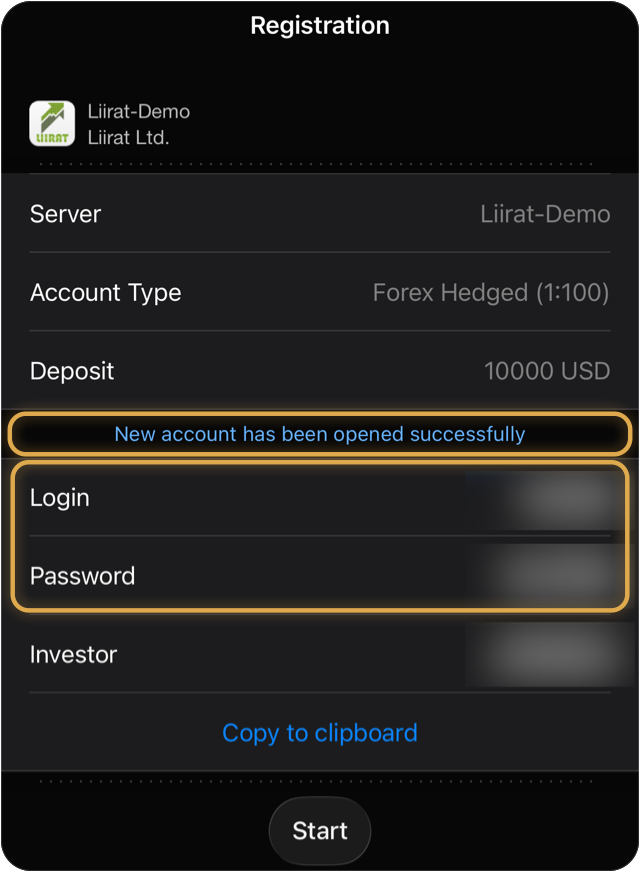
Your login and password are on this screen. Save them now: tap Copy to clipboard and keep them somewhere private. Then tap Start. Your demo is free for 15 days, with practice money.
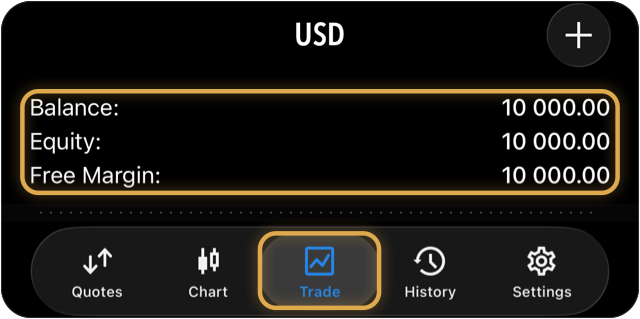
Your demo opens in MetaTrader 5. Trade shows your practice balance, here 10,000 USD. It is practice money, not real money.
Practise on the free demo. Next: the free Risk and margin course in the Investo Academy.
Trading leveraged products involves significant risk of loss and is not suitable for everyone. Never deposit money you cannot afford to lose.
Our e-mail gives you your MT5 number (Login) and your password. Never share the password: our team never asks for it.
Open MetaTrader 5, tap Settings, then New Account. Type Liirat in the search box and tap Liirat Ltd.
Under Use existing account, keep Trade Account. Check that Server says Liirat-Live, no other server. Type your MT5 number in Login and your password in Password, then tap Sign In.
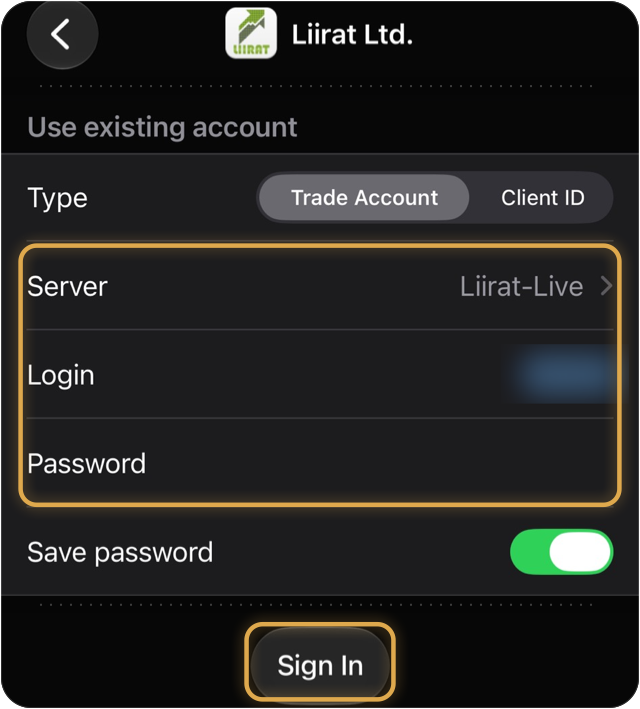
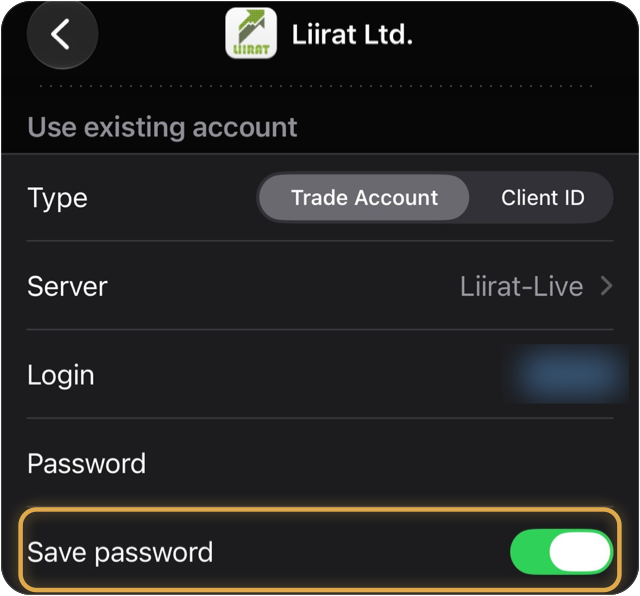
Leave Save password on only on your own phone.
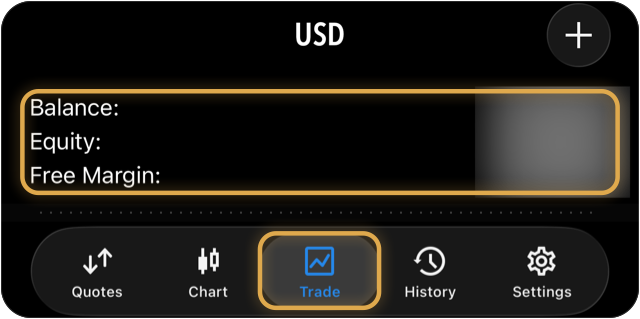
Your account opens in MetaTrader 5. Trade shows your balance, equity and open positions.
Forgot your password? Ask Live support: a new one is sent to you by e-mail.
Trading leveraged products involves significant risk of loss and is not suitable for everyone. Never deposit money you cannot afford to lose.